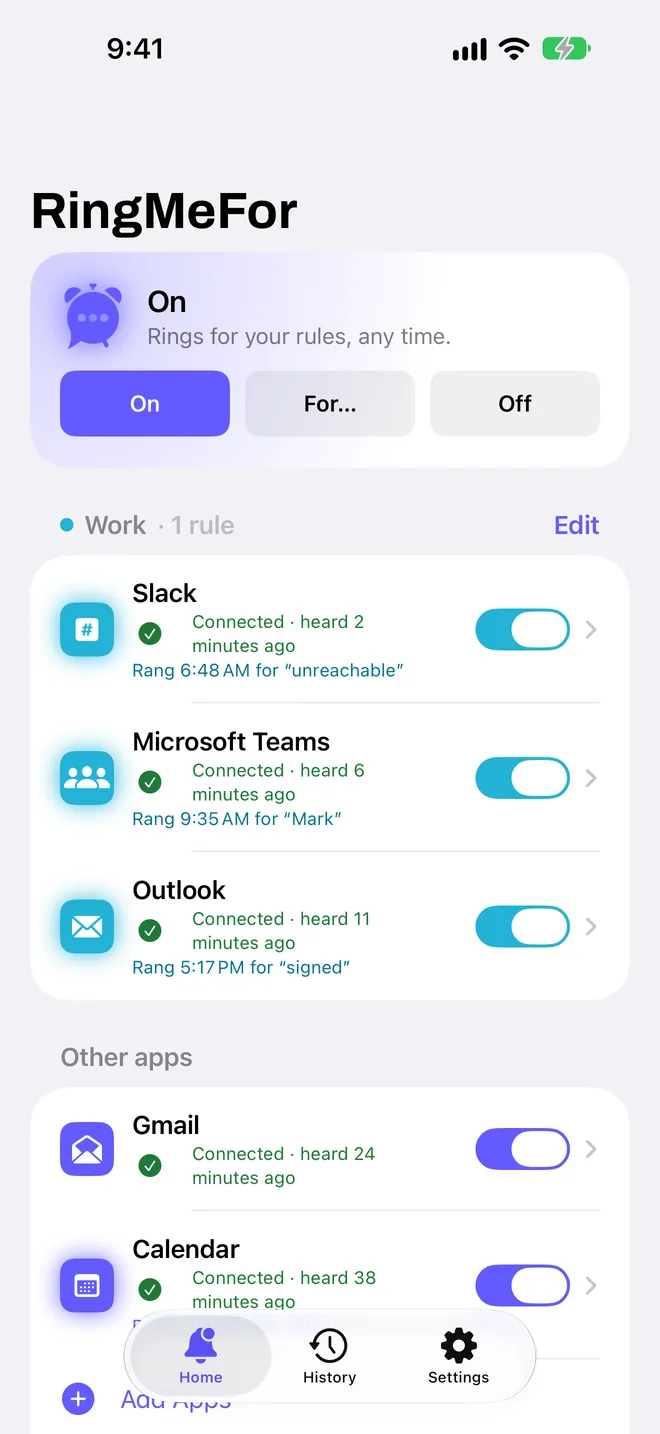
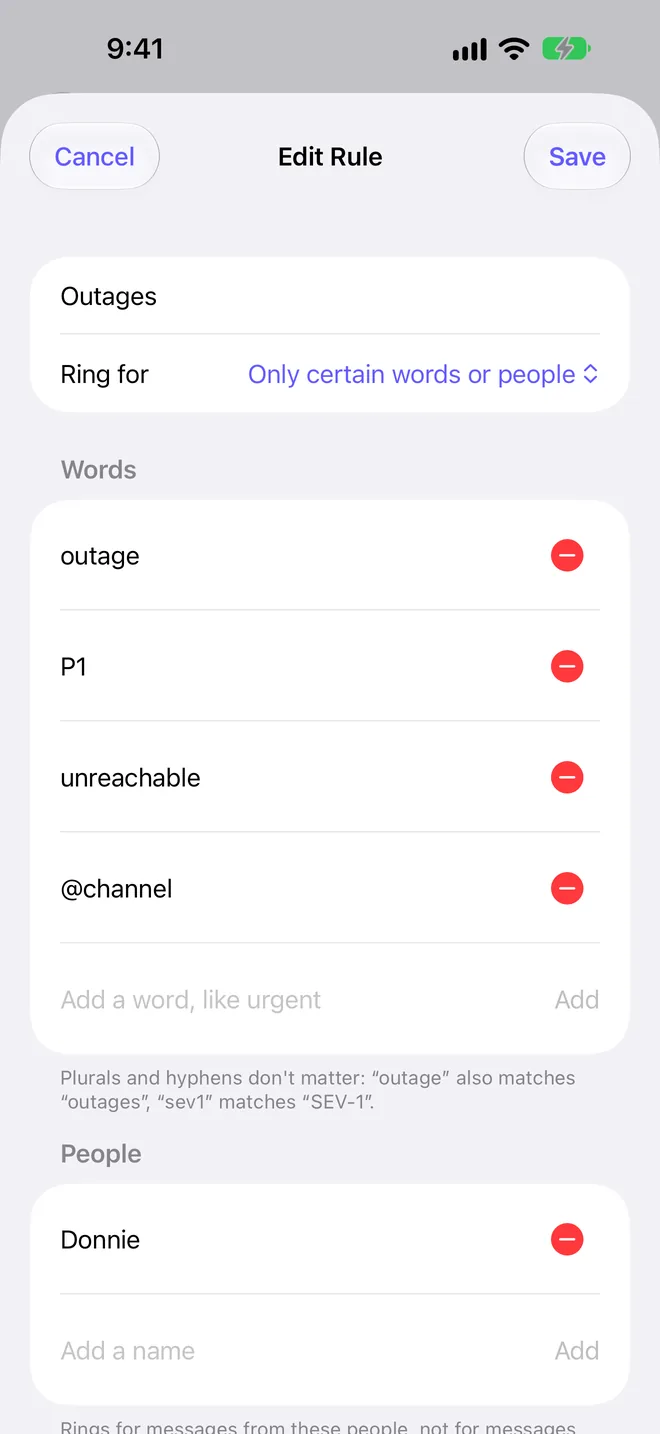
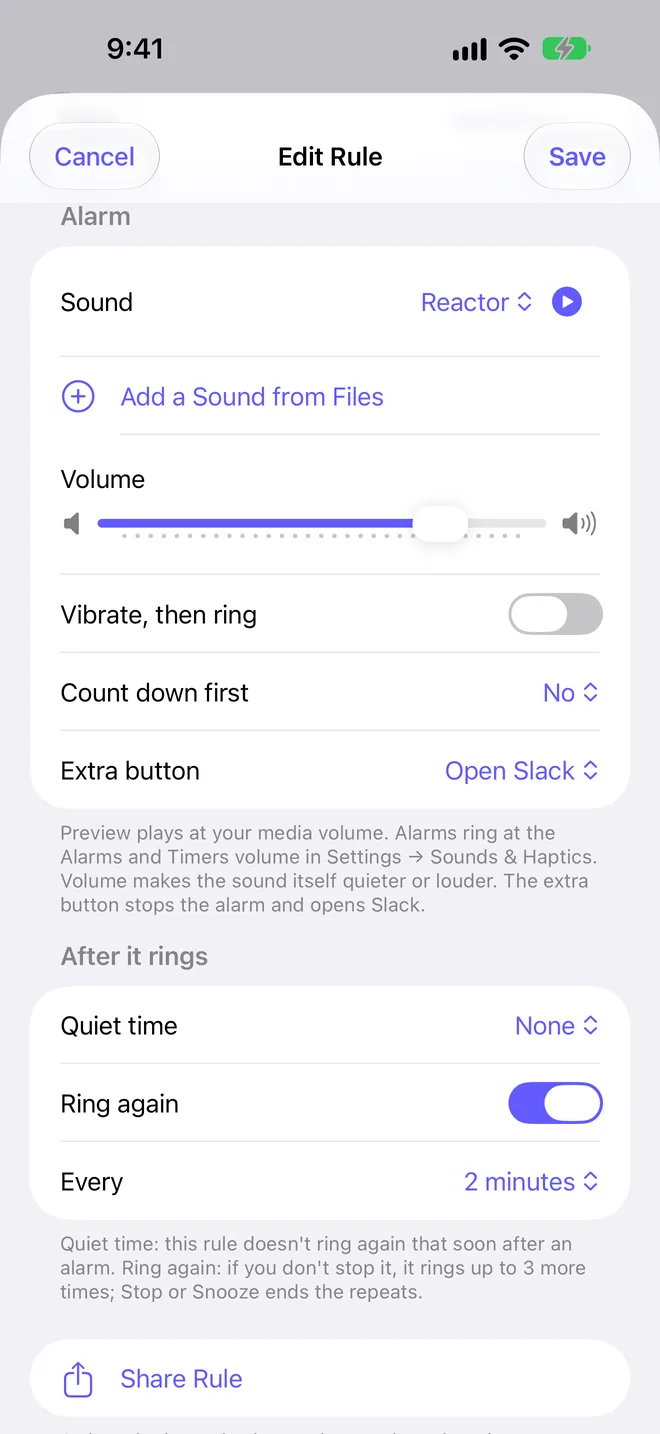
Choose the apps, the words and the people. RingMeFor does the rest.


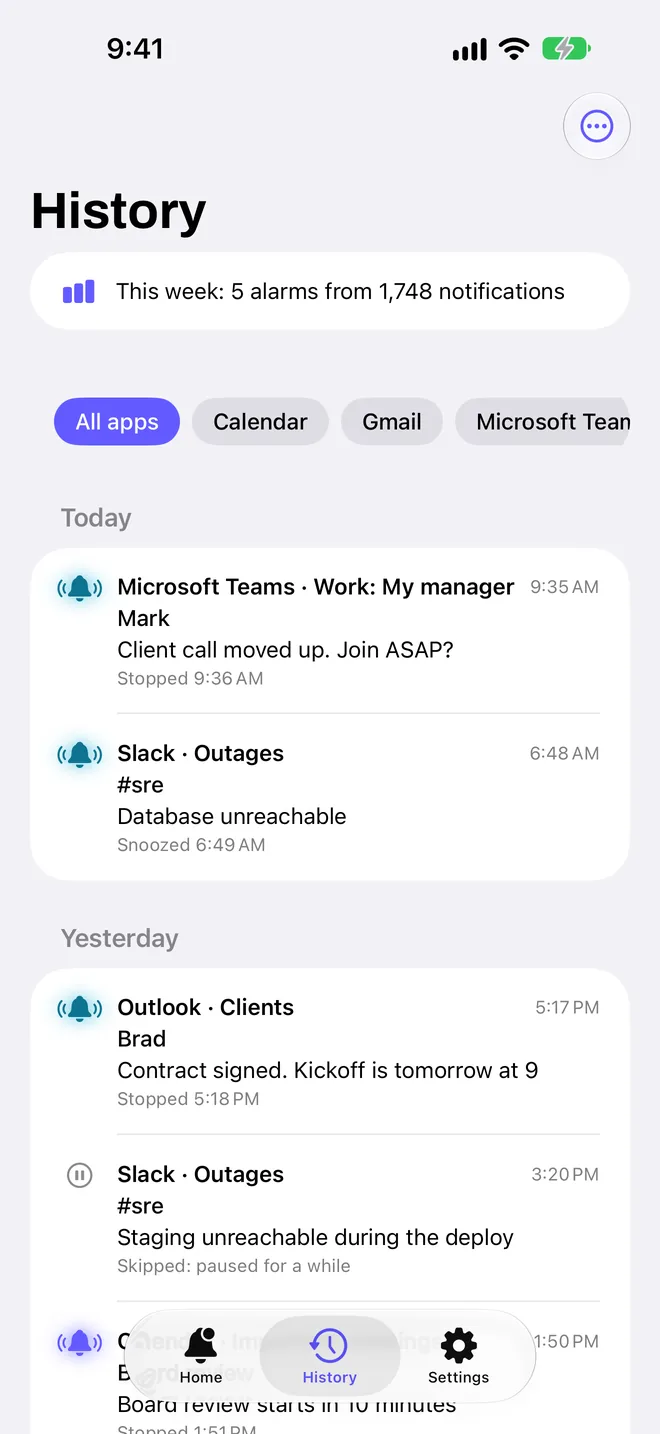
Here's an example weekday: 214 notifications from five apps. RingMeFor rang an alarm for 4 of them, each because of a rule, and kept the other 210 quiet.
Gmail Your domain renews in 30 days
stayed quietMicrosoft Teams, Mark
Client call moved up. Join ASAP?
Rang for your Work group's rule: Ring me for Slack, Microsoft Teams and Outlook when it's from Mark. Pro
Slack, #deploys Build 2.14 passed all checks
stayed quietCalendar
Board review starts in 10 minutes
Rang for your rule: Ring me for Calendar when it says “board”.
Slack, #sre Staging unreachable during the deploy
stayed quiet: outside the rule's hoursOutlook Sprint review notes attached
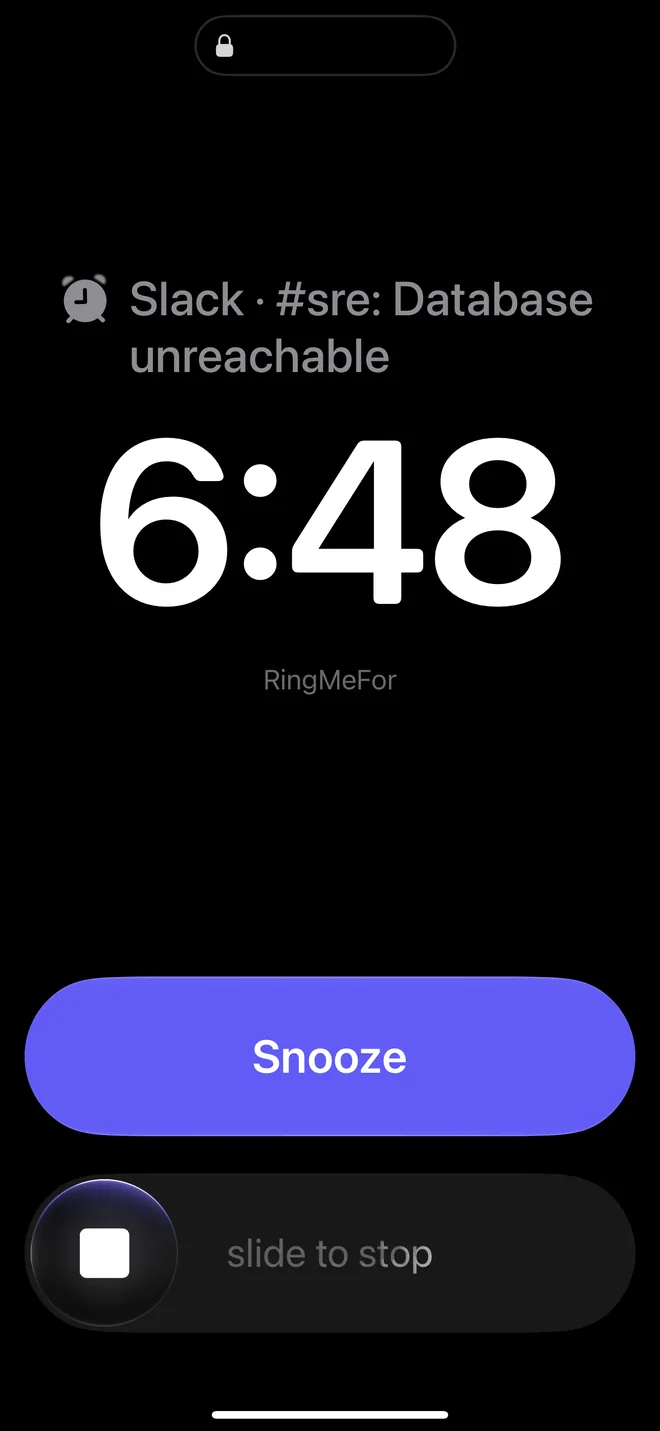
stayed quietSlack, #sre
Database unreachable
Rang for your rule: Ring me for Slack when it says “unreachable”, on weeknights from 23:00 to 07:00. Pro
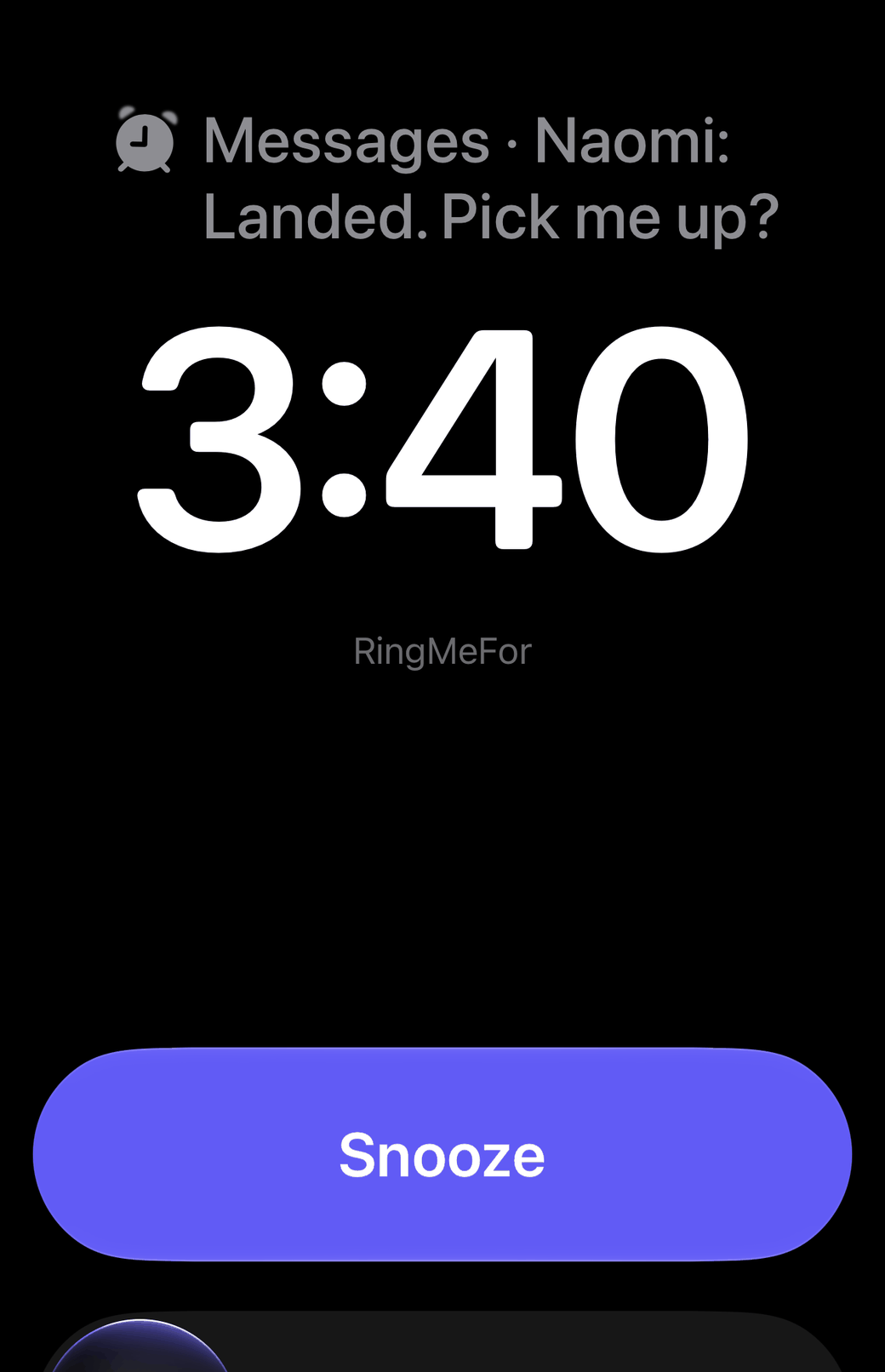
Messages, Naomi
Landed. Pick me up?
Rang for your rule: Ring me for Messages from Naomi, and ring again if I sleep through it. Pro
Rang again. Stopped at 03:43.
41 more stayed quiet while you slept.
iOS doesn't let one app read another app's notifications, so RingMeFor works through Apple's Shortcuts app. The RingMeFor shortcut's automation passes each notification from the apps it lists to RingMeFor. RingMeFor checks it against your rules, on your iPhone. If it matches, an iOS alarm rings with Stop and Snooze on the Lock Screen and in the Dynamic Island; if not, nothing happens.

Get RingMeFor and choose your apps.

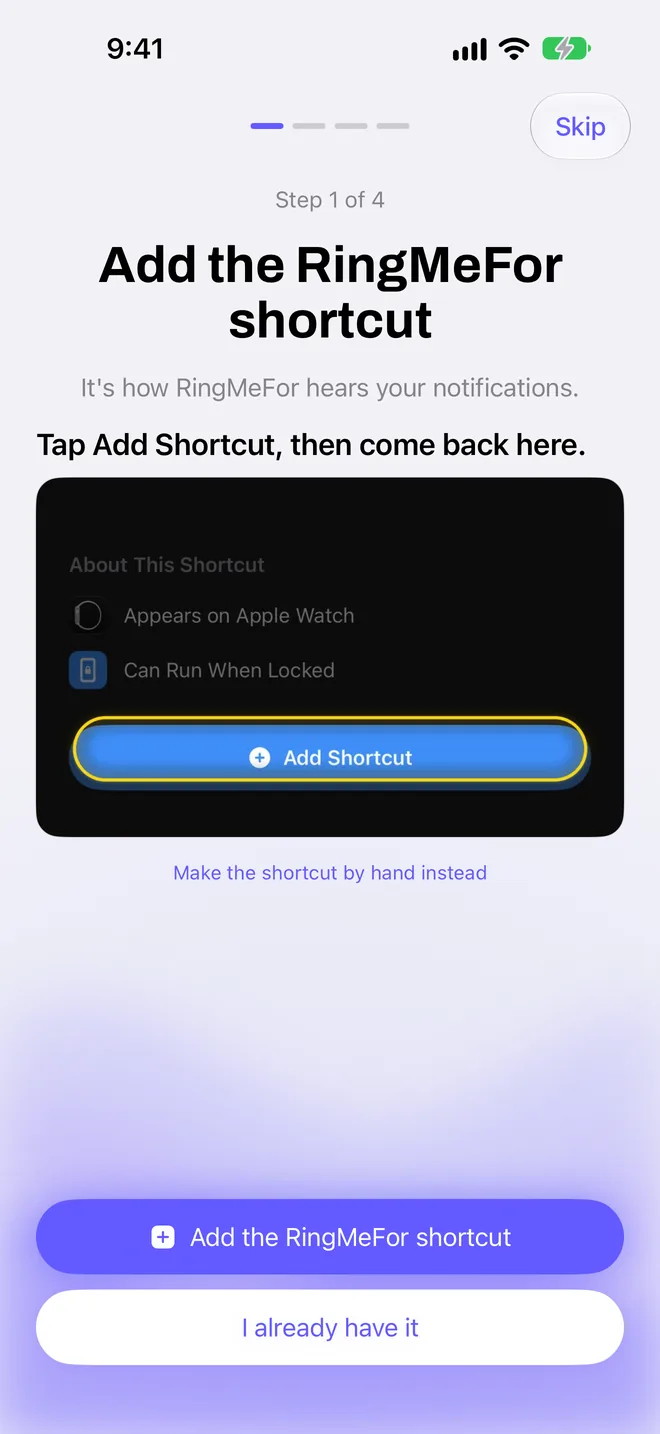
Add the RingMeFor shortcut.

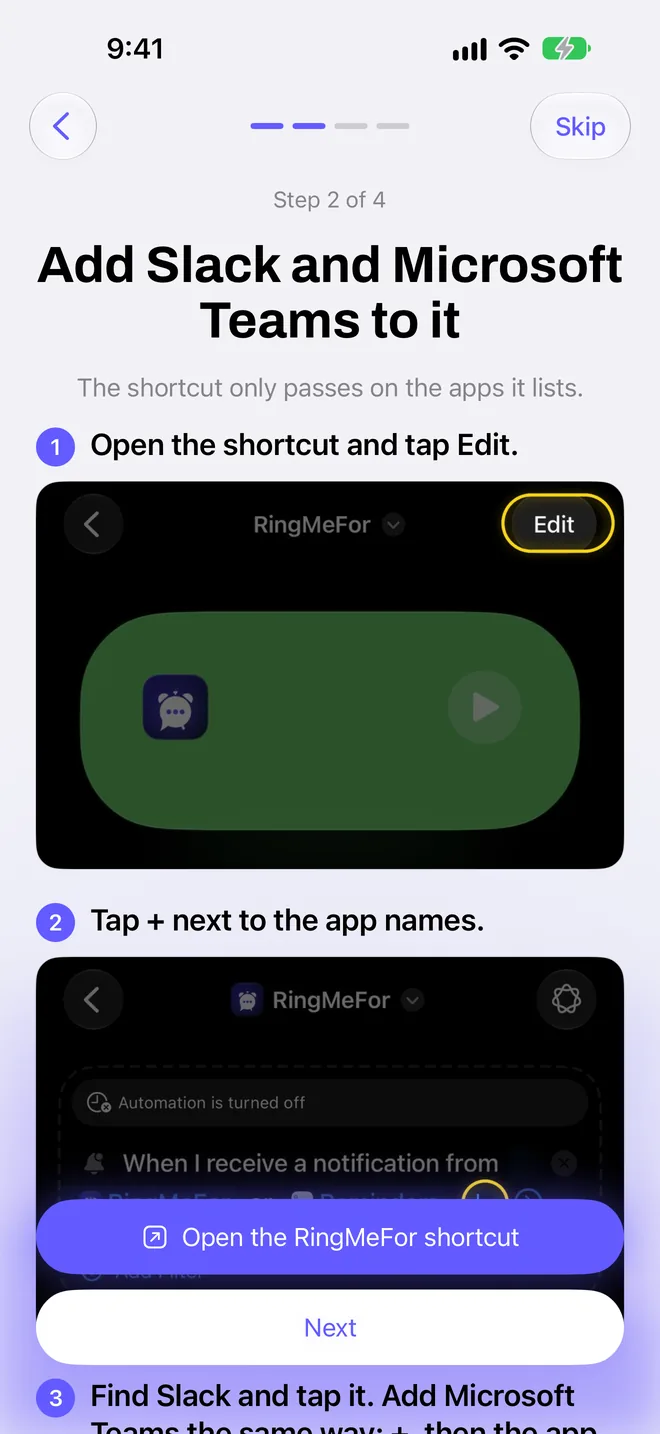
Add your apps to the RingMeFor shortcut with +.

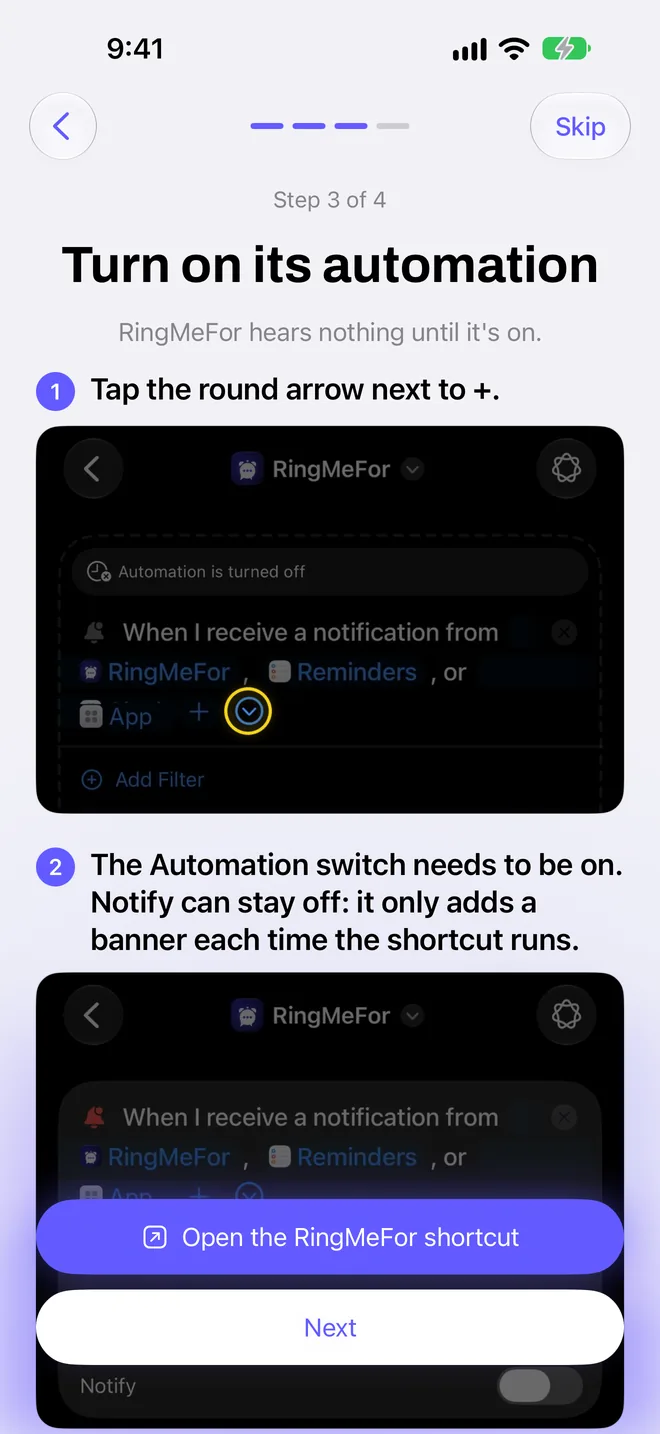
Turn on its automation. It arrives switched off, and only you can turn it on.
Then run Test with the Phone Locked, and lock your iPhone: a test alarm rings within about 20 seconds.
Nothing to sign in to, no server, and no internet needed. RingMeFor checks your notifications on your iPhone, and your rules and History stay there. The developer never receives any of it. Read the privacy policy.
iCloud sync keeps your apps, groups, rules and alarm settings the same on your iPhones, through your own iCloud account. History stays on each iPhone. Export makes a file of your apps and rules that you keep.
RingMeFor is made by Lance Mikaelo Enriquez (Philippines). Write to lancemikaelo.enriquez@gmail.com.
$0
One app with one rule, with no time limit. Words, people, patterns, repeats, quiet time, a countdown and vibrating before it rings are all in it.
$4.99paid once, with no subscription
Every app, unlimited rules, a schedule for each rule, and Ring again. 14 alarm sounds, your own sounds and a Volume bar. Groups of apps with rules for all of them and a colour of their own. 1,000 entries of History, and the Ring Alarm action for your own shortcuts.
Get RingMeForThrough Apple's Shortcuts app. Since iOS 27, Shortcuts can start an automation whenever a notification comes in. RingMeFor's ready-made shortcut hands each one over. You add it once; RingMeFor shows each step.
Yes. RingMeFor uses iOS's own alarms, like the Clock app's, so it rings even with Silent mode or a Focus on.
RingMeFor checks each notification against your rules on your iPhone and keeps a short History there. The developer never receives any of it; iCloud sync uses your own iCloud account, and never carries your notifications or History. Read the privacy policy.
In RingMeFor, tap the app, then Why Didn't It Ring?: it checks the shortcut, the app's rules and the alarm permission, and a message you type. The help page covers the rest.
Focus chooses who can reach you by app or by person. It can't choose by what a message says, and what it lets through is still an ordinary notification, which makes one sound, or none on Silent. RingMeFor chooses by the words in the message as well, and it rings an alarm.